Links and Backlinks
Notes link with standard Markdown links, relative to the file. The site turns them into page addresses and lists backlinks under each note.
Notes link to each other with standard Markdown links, using the note's title as the text and its file as the target: [Writing a Note](writing-a-note.md). Because they're plain relative links between files, they also work in any Markdown editor.
What the build does with a link
- To a note: the link points to that note's page, like this one to How Search Works.
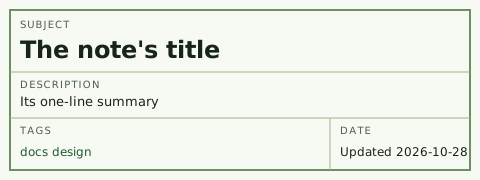
- To a section: add the heading's id, as in the front matter table.
- From a recipe: recipes live two folders down, so a link back to a note starts with
../../, like the one in Tomato Soup. - To a note that doesn't exist yet: it shows as plain muted text instead of a link, like A Note Not Written Yet. Hover over it, and it says so.
- To an attachment such as an image or a PDF: the file is published only if a page links to it and Git tracks it, like the design sketch in The Design. Anything else shows as muted text marked "Not published," like this screen recording, which isn't in the repository.
- To another site: a small arrow marks it, like this link to CommonMark.
- To the site's own pages: a link starting with
/, like the tag index, passes through as it is.
Backlinks
Every note lists the notes that link to it, at the bottom of the page. Scroll down on How Search Works to see several. Backlinks are why links are worth writing: a link from one note shows up on both.
Wikilinks
Readwise exports [[double bracket]] links. The build resolves those by file name anywhere in the notebook, so highlights can link into notes, as Walden does. The notes themselves use standard links only.